A queue without context turns into rework
When the team sees backlog without priorities or highlighted exceptions, operational follow-up slows down.

When the flow depends on scattered logins, manual checks and poor exception visibility, a supplier portal turns backlog and follow-up into something the team can actually manage.
Unica's WebEDI brings together orders, documents, scheduling and supplier-driven product onboarding, with an approval workflow and direct ERP integration.
The value is not just offering a web login. It is aligning orders, documents, schedules and operational responses inside one readable flow.
When the team sees backlog without priorities or highlighted exceptions, operational follow-up slows down.
Without a shared view across order, document and schedule, the internal team reacts late and the supplier works blind.
The operation starts reacting to pending issues instead of managing an organized, actionable queue.
Each stage becomes visible to the people who need to charge, approve, correct or track the flow.
Suppliers see each order in a structured backlog instead of relying on manual forwarding.
Invoices, approvals and catalog checks stay tied to the same operational context.
Rejections, pending issues and mismatches stop hiding in parallel conversations.
Operations can read backlog, supplier concentration and exception drivers without rebuilding the story from scratch.
These dashboards support the product story. The real value sits in the operational readout they enable, not in the chart alone.
Instead of making the client team type each supplier product into the ERP, the portal pushes part of that effort to the source. Suppliers submit material data in the portal, the information enters an approval workflow and, once validated, can be created directly in the client ERP with an internal code, less rework and much tighter control.
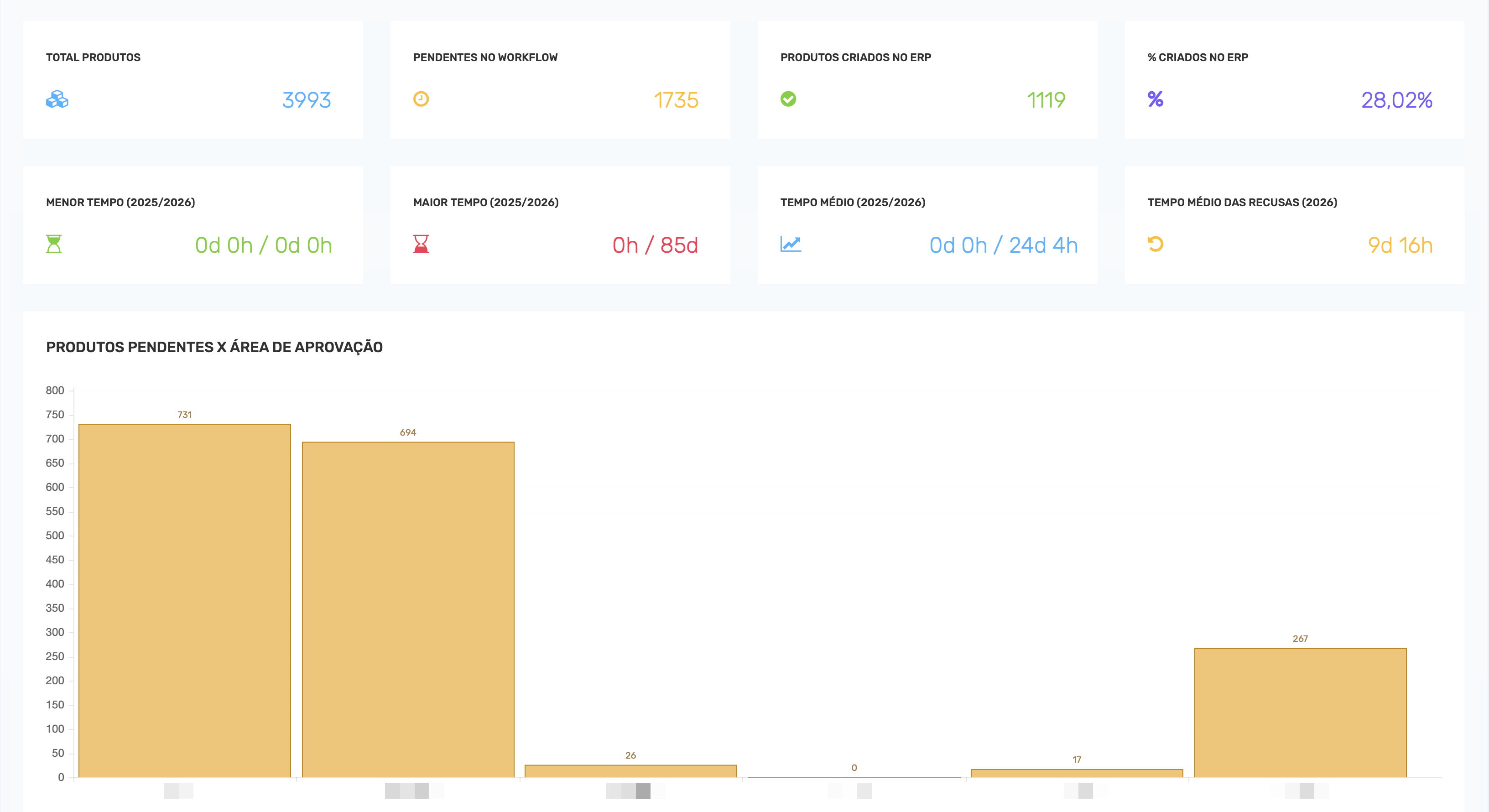
The first view compresses volume, due dates, status and active base so the team can spot where the pressure is building today.
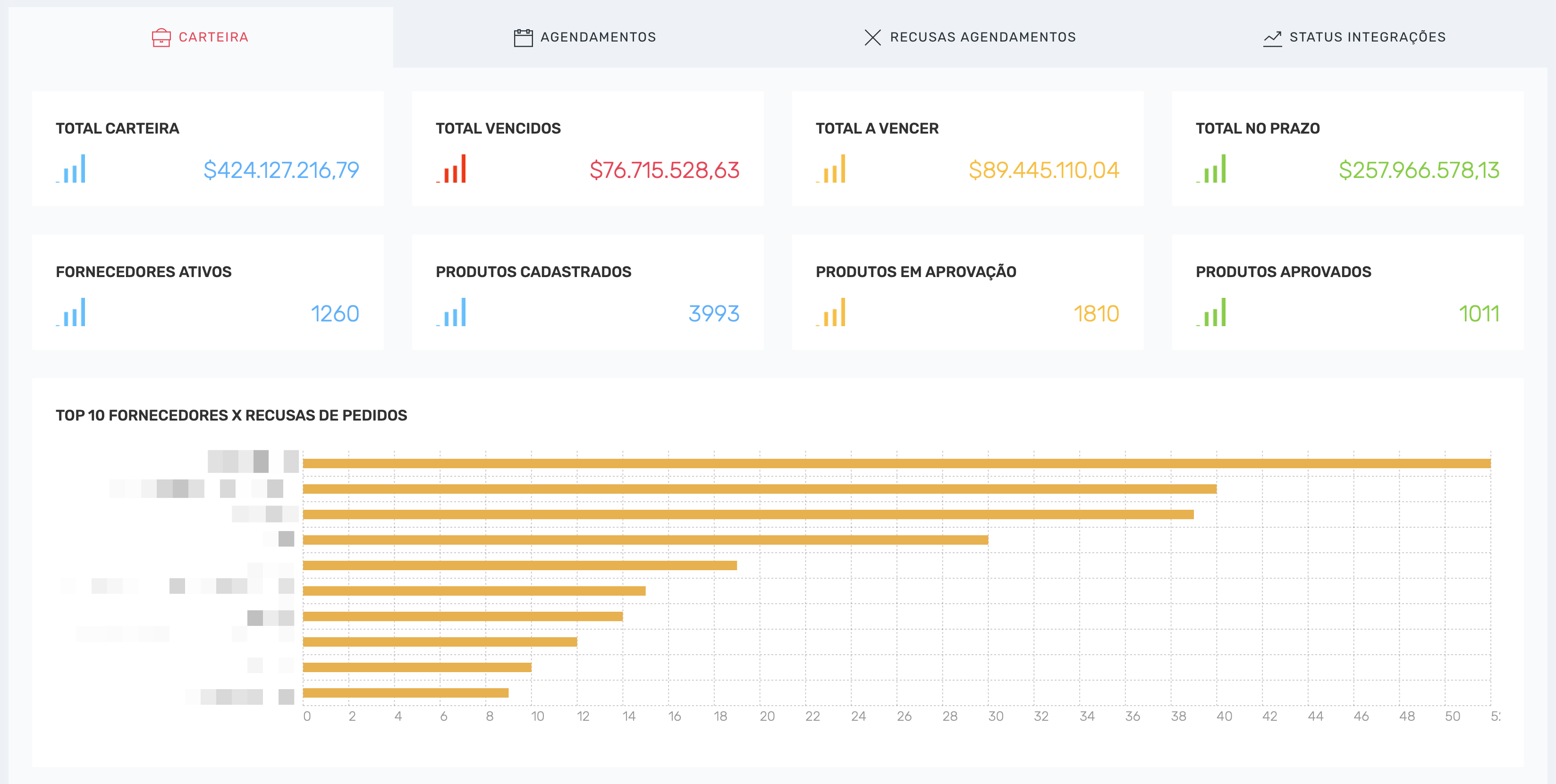
The best supplier portal is the one that helps the operation decide faster without rebuilding context at every exception.
Backlog, rejections and pending items stay in one view that separates urgency from routine.
Suppliers operate inside a more predictable flow, with fewer mismatches between order and document.
When reasons and exceptions are explicit, sales, operations, tax and logistics work from the same scenario.
The same thinking behind the supplier portal shows up in cases where the operation gained flow, clarity and predictability.
Obramax needed to reduce friction between supplier registration, product onboarding, purchase orders, invoices and delivery scheduling. With Unica, those workflows were centralized in one WebEDI platform connected directly to the ERP.
Leo Madeiras needed to centralize a large operational network with suppliers, stores and partners spread across critical workflows. With Unica, the company unified more than 400 suppliers in a single platform and gained stronger control over onboarding, orders, documents and day-to-day follow-up.
No. It supports the suppliers and workflows that still need a browser-based experience while keeping orders, invoices and delivery scheduling inside one governed process.
Yes. The goal is to surface the operational signals that matter most so the team can read backlog, supplier activity and exception drivers in one place.
No. Access happens in the portal, with workflows designed to remove friction instead of creating another operational step.
Yes. The portal can reflect each operation's document rules, scheduling logic, approvals and exception handling model.
The first conversation helps identify where the friction sits and which operational views need to become visible.